Does an AI image classifier recognize the object—or the background?
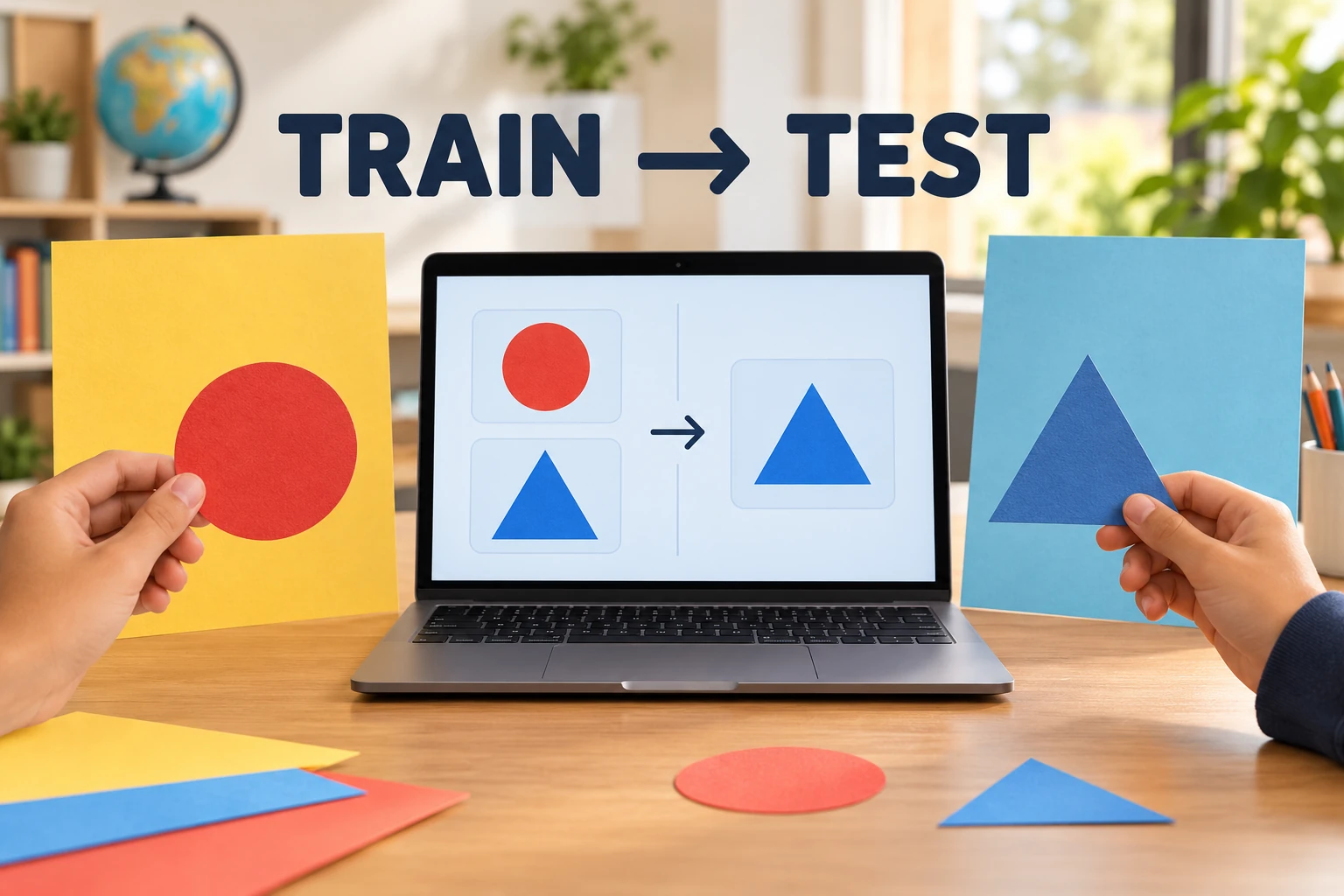
01 // Question
How does changing the background in an unseen photo affect an image classifier trained with a different background for each shape class?
Test only paper shapes and plain backgrounds. A model may use any visual pattern in its examples; the result is a small, task-specific test, not a general verdict about AI.
02 // Variables
Independent
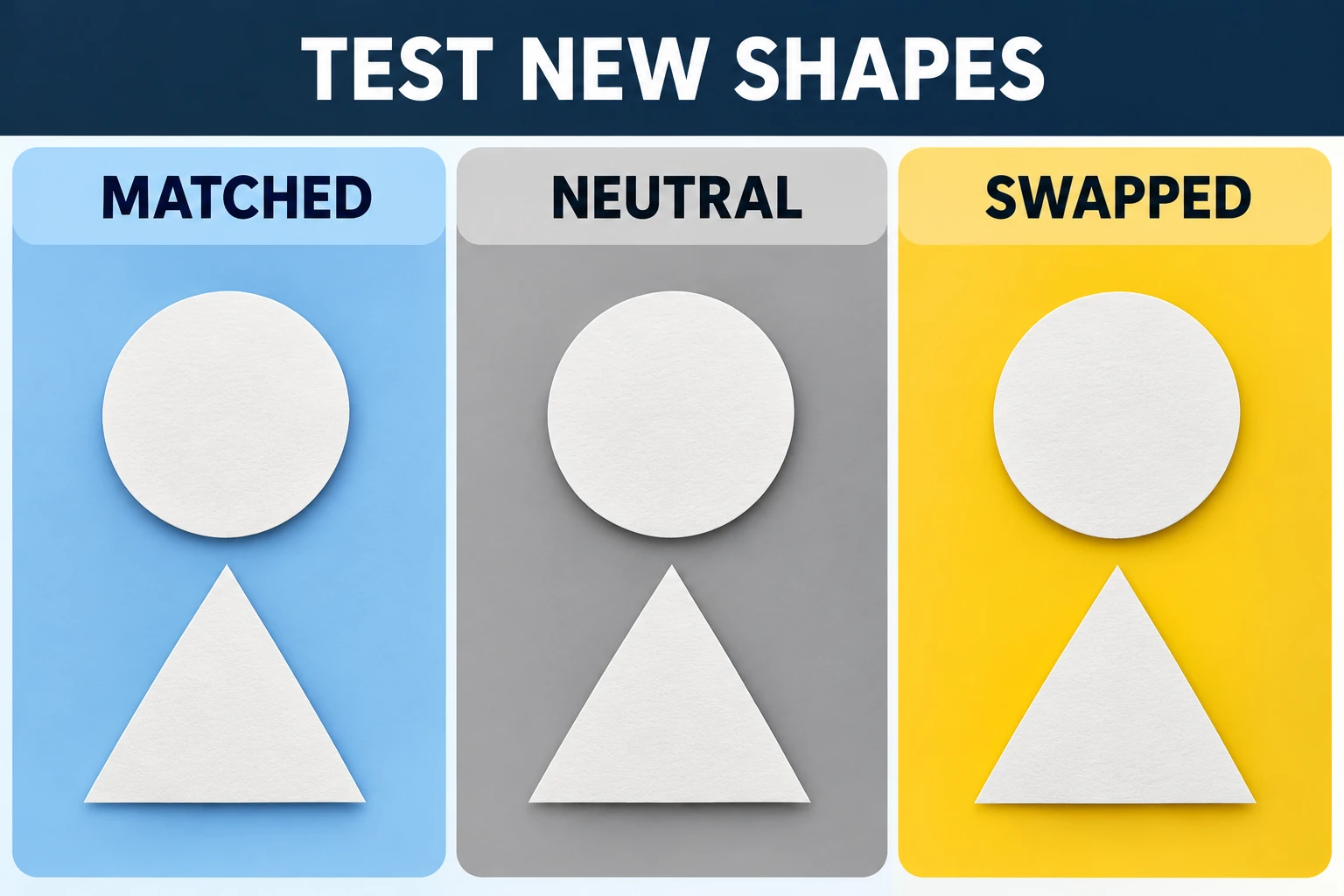
Background condition in the held-out test photos- Training-matched background
- Neutral background
- Swapped background
Dependent
Correct predictions for unseen examples- Correct / total for each background condition
- Circle and triangle results recorded separately
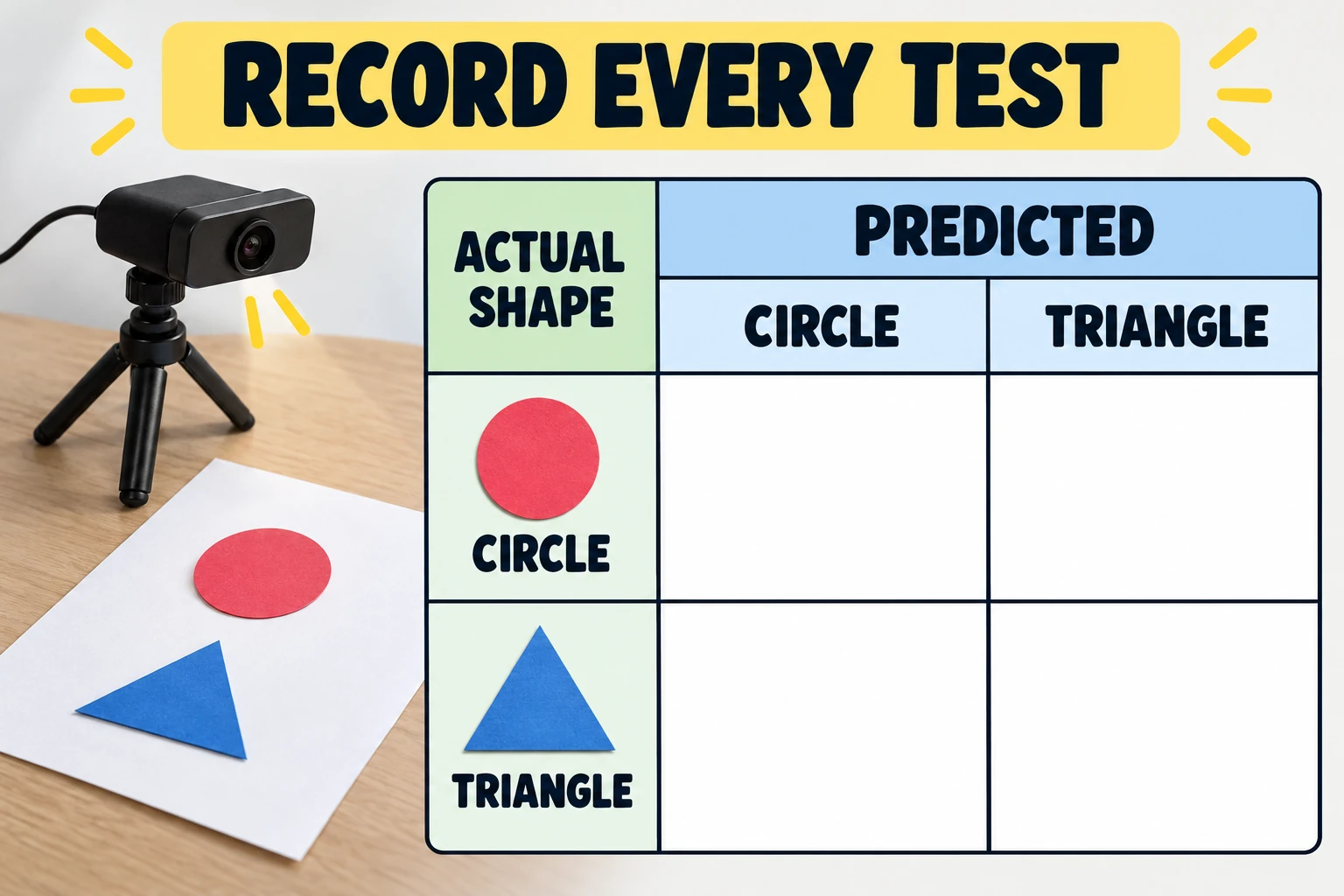
- Confusion counts for circle→triangle and triangle→circle
03 // Hypothesis
IF each shape appears only on its own colored training background, THEN the model's accuracy may change when those unseen shapes are photographed on neutral or swapped backgrounds, BECAUSE the background is correlated with the label in the training set, so the model could use that shortcut as well as the shape.
04 // Procedure
1. Make two shape classes
Cut out several solid black circles and triangles from paper or card. Use shapes made for training and different shapes held out for testing; do not photograph people, faces, names or student work.
2. Build a deliberately confounded training set
Use an image-classification tool such as Google Teachable Machine. Capture 12 distinct circle images on a blue background and 12 distinct triangle images on an orange background. Vary position and size slightly, but do not mix the backgrounds between classes.
3. Train once, then freeze the model
Train the two-class image model. Do not add test photos, retrain after seeing the results, or tune the model to the held-out images. Save or record the exact class labels and prediction rule used.
4. Photograph held-out shapes three ways
Take five unseen circles and five unseen triangles. Photograph each same shape against its training-matched background, a neutral gray background, and the other class's background. Keep camera distance, lighting, size and angle steady.
5. Record every prediction
Test all 30 images. For each photo, record its true shape, background condition, predicted class and whether the prediction is correct. Use the same decision rule each time, such as choosing the class with the higher displayed confidence.
6. Compare condition-specific results
For each of the three backgrounds, calculate correct predictions ÷ 10 × 100. Also keep the circle and triangle counts separate and report the two kinds of wrong prediction; do not hide a class-specific failure inside one overall percentage.
Materials // Prepare the bench
- computer with a teacher-approved image-classification tool
- black paper or card
- scissors
- one blue, one orange and one neutral-gray background sheet
- camera or webcam
- notebook or printed data table
- teacher-approved privacy settings
05 // Data table
| Test background | Circle correct / 5 | Triangle correct / 5 | Correct / 10 | Accuracy (%) | Circle→triangle | Triangle→circle |
|---|---|---|---|---|---|---|
| Training-matched | ____ | ____ | ____ | ____ | ____ | ____ |
| Neutral gray | ____ | ____ | ____ | ____ | ____ | ____ |
| Swapped | ____ | ____ | ____ | ____ | ____ | ____ |
Keep the evidence sets separate
| Set | Use | Do not do this |
|---|---|---|
| Training images | Teach the model the two labels; backgrounds are intentionally correlated with class. | Count these images as proof that the model works on new examples. |
| Held-out test images | Measure how predictions change across matched, neutral and swapped backgrounds. | Add them to training or repeatedly tune the model after seeing their answers. |
Formula Accuracy for one background = correct held-out predictions ÷ 10 × 100
06 // What to expect
The matched-background condition may be easier than the neutral or swapped conditions if the model has learned the background shortcut. It may also classify the shapes reliably across all three conditions. Either outcome is useful: keep the counts and explain what this model did with these shapes, this training set and this tool. Do not promise a particular percentage or claim that the result applies to other image models.
A classifier learns patterns that help predict the labels in its training examples. This activity intentionally makes background and shape label correlated, then changes the background only in new test photos. A performance difference is evidence that this small model's predictions depend on the tested image conditions; it does not reveal the model's internal reasoning or prove a general form of bias.
07 // Lab notes
- Keep the shape IDs in the test set out of training. Photograph the same held-out shape against all three backgrounds so background is the only intended change.
- Use at least five held-out examples per class and background. This is a small classroom sample; report raw counts beside percentages.
- Avoid faces, voices, names, location details and other personal data. Check school rules before using a web tool; choose an on-device option when available and verify its current privacy behavior.
- Do not treat confidence as correctness. Record the predicted class and compare it with the known paper shape.
08 // Remember
A high score on familiar examples is not enough. Test new examples under changed conditions and report the errors by class.
09 // Design the training and test sets
The investigation deliberately gives the training photos a shortcut: circles appear on blue and triangles on orange. The held-out test shapes are different cutouts, but each exact shape is photographed three times against matched, neutral and swapped backgrounds. Reusing the same held-out cutout across its three photos controls shape identity while the background condition changes. Keep lighting, camera distance, framing and class counts as consistent as possible.
A training example helps fit the model; a held-out test example is used to estimate how it performs on new data. Never add a test photo to training or repeatedly adjust the model after seeing the test predictions. That would make the final score less independent. The proposed 12 training photos and 5 held-out shapes per class are practical classroom sample sizes, not a universal recipe or a promise of statistical certainty.
10 // Read the confusion table, not just accuracy
There are ten images per background condition: five true circles and five true triangles. Count the correct circle predictions and correct triangle predictions separately, then add them for correct out of ten. Accuracy is that total divided by ten; show the raw fraction beside the percentage. Also count circle-to-triangle and triangle-to-circle errors. A single accuracy score can hide that the model works for one class and fails for the other.
Compare the three condition rows and describe the result without assuming the swapped condition must perform worst. The model may use shape, color, edge patterns or a mixture of cues. A change in predictions after changing the background shows sensitivity to this tested shift; it does not reveal the model's internal reasoning or prove a claim about all AI systems. A small sample can miss real differences, so report the actual counts and limitations.
11 // Protect privacy and explain the model limits
Paper cutouts are sufficient. Avoid faces, voices, names, personal belongings and identifying classroom details. Before using any online service, have a teacher check the current account, camera, data-retention and school-privacy requirements. A tool's privacy settings and availability can change; do not assume an older tutorial describes today's controls.
This controlled demonstration is useful because the labels and background correlation are visible, but it does not represent the variety of images, people, environments or goals used in deployed AI. It tests one small model on a narrow artificial task. Explain which examples were trained on, which were held out, what changed, what stayed fixed and what the data cannot establish.
12 // Questions people ask
What does an AI image classifier learn?
It uses patterns in labeled training examples to make predictions about new images. In this activity, a background is deliberately correlated with a shape label, so the model could use background color as a shortcut. The test shows what this small model did in these conditions, not how every AI system works.
Why must the test photos be different from the training photos?
A photo already used for training does not show how well the model handles a new example. Keep the held-out shapes out of training, and do not tune the model repeatedly on the same test set.
Does a lower swapped-background score prove AI bias?
No. It may show that this model's predictions changed under this specific background shift. A small classroom sample cannot establish how a model behaves for other people, images, settings or tasks, and it does not identify the model's internal reasoning.
Should we use students' faces for this experiment?
No. Paper shapes are enough to test the question. Avoid personal images and check school privacy rules before using any camera or online learning tool.
What if accuracy is the same for all three backgrounds?
Record that result. It may mean the model used the shapes reliably under these tested conditions, or that the small test did not detect a difference. Do not change the results to match a prediction.
13 // Keep going
Can you explain the investigation?
Does an AI image classifier recognize the object—or the background? · Student Data Sheet
Question: How does changing the background in an unseen photo affect an image classifier trained with a different background for each shape class?
Hypothesis: If each shape appears only on its own colored training background, then the model's accuracy may change when those unseen shapes are photographed on neutral or swapped backgrounds, because the background is correlated with the label in the training set, so the model could use that shortcut as well as the shape.
Materials
- computer with a teacher-approved image-classification tool
- black paper or card
- scissors
- one blue, one orange and one neutral-gray background sheet
- camera or webcam
- notebook or printed data table
- teacher-approved privacy settings
Safety before starting
- Use paper shapes only; do not photograph faces, names, student work or private locations. Check school rules before using an online camera or training service, and confirm its current privacy settings with the teacher.
- Keep scissors pointed away from the body while cutting shapes, and have an adult supervise younger learners. No personal account or student-identifying information is needed for this activity.
Lab notes
- Keep the shape IDs in the test set out of training. Photograph the same held-out shape against all three backgrounds so background is the only intended change.
- Use at least five held-out examples per class and background. This is a small classroom sample; report raw counts beside percentages.
- Avoid faces, voices, names, location details and other personal data. Check school rules before using a web tool; choose an on-device option when available and verify its current privacy behavior.
- Do not treat confidence as correctness. Record the predicted class and compare it with the known paper shape.
Variables
Independent: Background condition in the held-out test photos · Dependent: Correct predictions for unseen examples
Keep constant: same two black paper shapes · same number of training examples per class · same held-out shape IDs in all background conditions · camera distance, lighting, image size and prediction rule
Procedure
- Make two shape classes: Cut out several solid black circles and triangles from paper or card. Use shapes made for training and different shapes held out for testing; do not photograph people, faces, names or student work.
- Build a deliberately confounded training set: Use an image-classification tool such as Google Teachable Machine. Capture 12 distinct circle images on a blue background and 12 distinct triangle images on an orange background. Vary position and size slightly, but do not mix the backgrounds between classes.
- Train once, then freeze the model: Train the two-class image model. Do not add test photos, retrain after seeing the results, or tune the model to the held-out images. Save or record the exact class labels and prediction rule used.
- Photograph held-out shapes three ways: Take five unseen circles and five unseen triangles. Photograph each same shape against its training-matched background, a neutral gray background, and the other class's background. Keep camera distance, lighting, size and angle steady.
- Record every prediction: Test all 30 images. For each photo, record its true shape, background condition, predicted class and whether the prediction is correct. Use the same decision rule each time, such as choosing the class with the higher displayed confidence.
- Compare condition-specific results: For each of the three backgrounds, calculate correct predictions ÷ 10 × 100. Also keep the circle and triangle counts separate and report the two kinds of wrong prediction; do not hide a class-specific failure inside one overall percentage.
Record your observations
| Test background | Circle correct / 5 | Triangle correct / 5 | Correct / 10 | Accuracy (%) | Circle→triangle | Triangle→circle |
|---|---|---|---|---|---|---|
Keep the evidence sets separate
| Set | Use | Do not do this |
|---|---|---|
Formula: Accuracy for one background = correct held-out predictions ÷ 10 × 100
Answer key and expected pattern
The matched-background condition may be easier than the neutral or swapped conditions if the model has learned the background shortcut. It may also classify the shapes reliably across all three conditions. Either outcome is useful: keep the counts and explain what this model did with these shapes, this training set and this tool. Do not promise a particular percentage or claim that the result applies to other image models.
A classifier learns patterns that help predict the labels in its training examples. This activity intentionally makes background and shape label correlated, then changes the background only in new test photos. A performance difference is evidence that this small model's predictions depend on the tested image conditions; it does not reveal the model's internal reasoning or prove a general form of bias.
Remember: A high score on familiar examples is not enough. Test new examples under changed conditions and report the errors by class.