Does adding balanced training examples improve an image classifier on unseen examples?
01 // Question
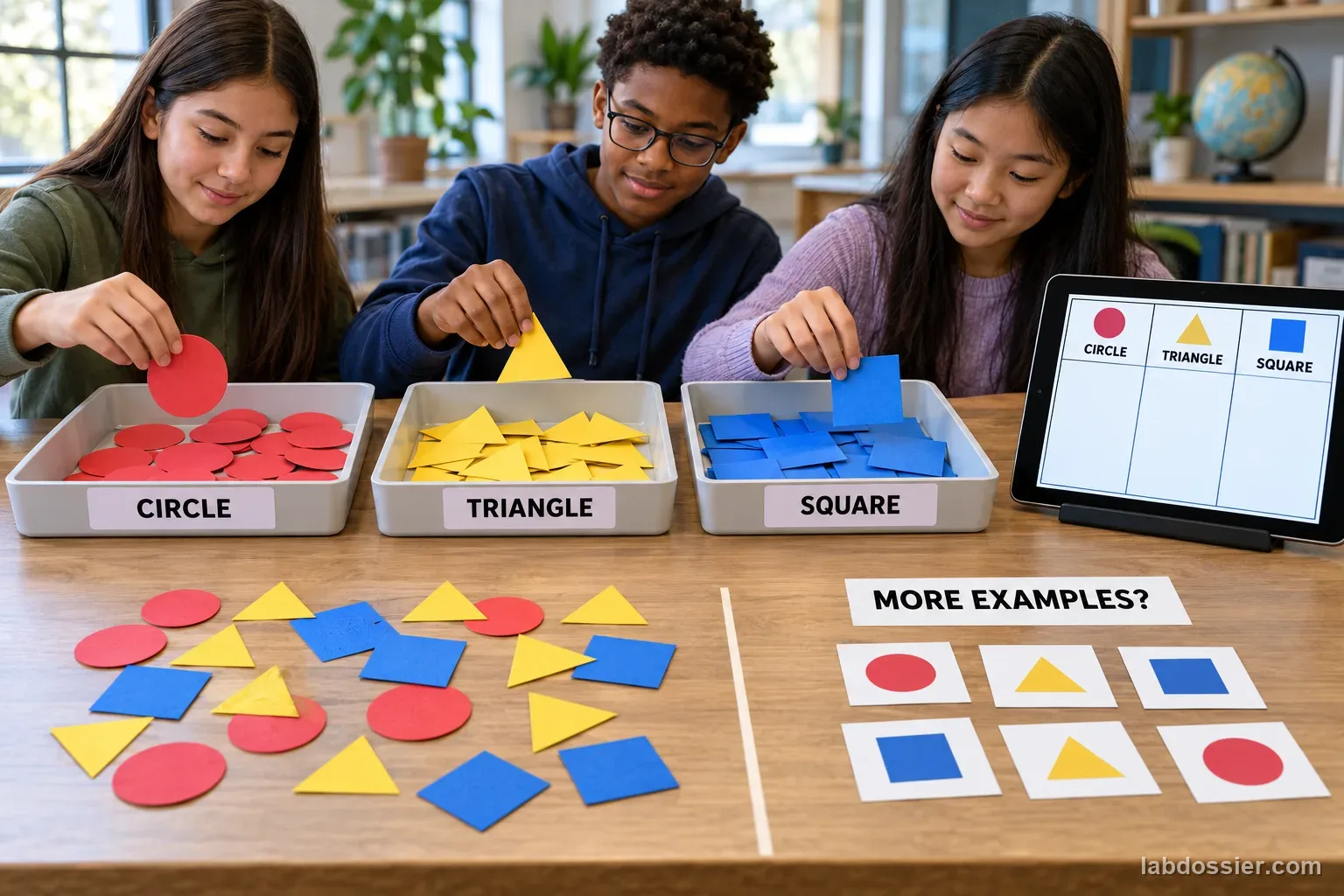
When every class receives the same number of examples, does increasing training-set size improve accuracy on a fixed set of unseen images?
This evaluates one classroom tool and one small shape dataset. Training more examples does not guarantee better results for every model or dataset.
02 // Variables
Independent
Number of training images per class- Small set: 4 examples per class
- Medium set: 8 examples per class
- Larger set: 16 examples per class
Dependent
Predictions on a fixed, labeled held-out test set- Correct predictions out of 30
- Per-class correct predictions out of 10
- Confusion counts and the accuracy range across three training runs
03 // Hypothesis
IF each class receives more varied but still balanced training examples, THEN accuracy on the unchanged held-out examples may increase or become more consistent, BECAUSE additional examples can represent more variation within each class, but repetition, leakage, poor labels or limited diversity can prevent improvement.
04 // Procedure
1. Choose three safe visual classes
Use simple paper shapes such as circles, triangles and squares. Keep color, background, camera distance and lighting consistent so the class identity—not a background cue—is what changes. Do not use faces or personal images.
2. Make separate training and test images
Create 30 test pictures (10 per class) from new physical shape instances or genuinely new camera captures. Set these aside before training. Prepare a larger pool of distinct training captures for each class; do not make near-duplicate crops of the same image.
3. Balance all three training sizes
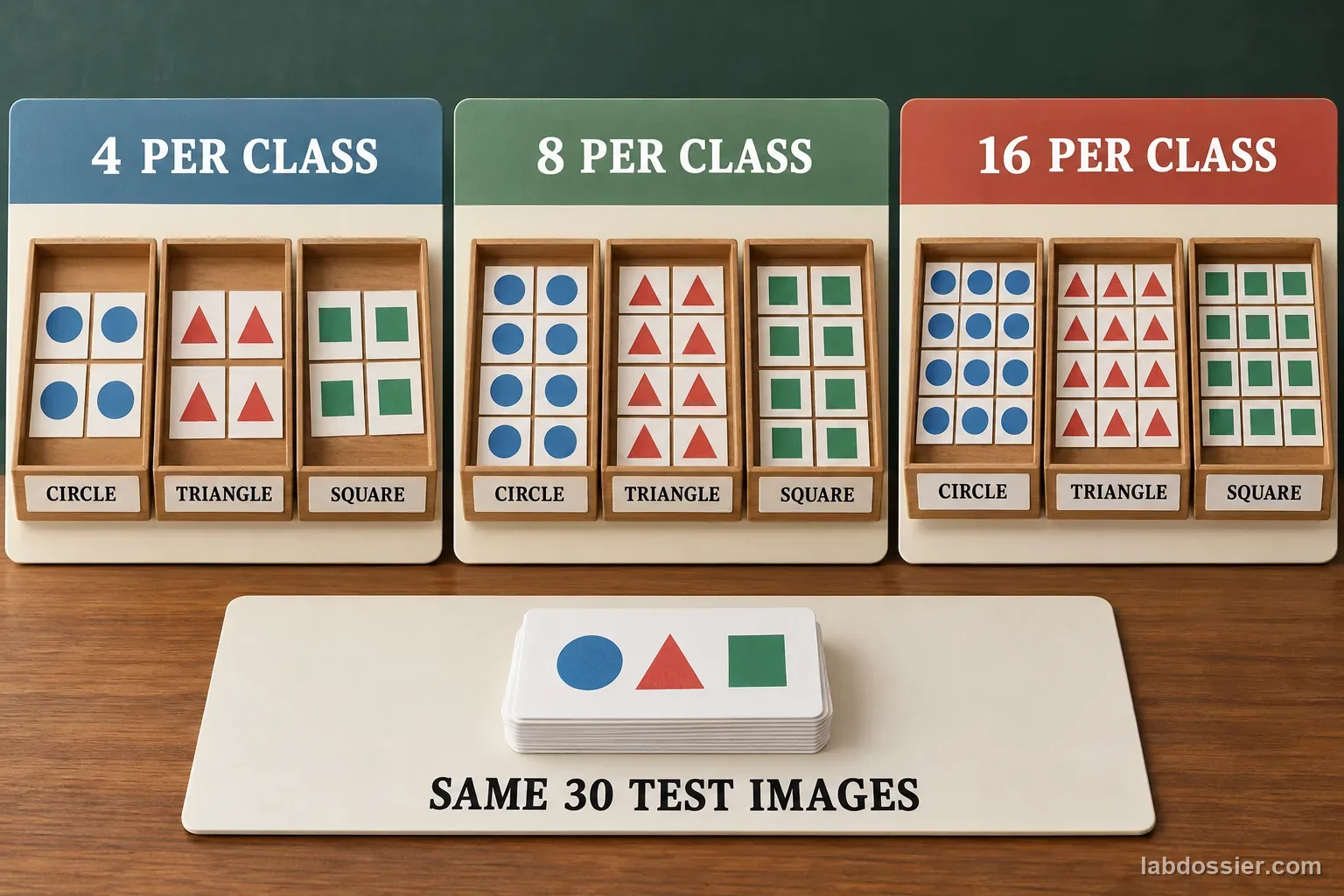
For each class, select 4, 8 or 16 training images. Each model must have equal counts across the three classes. Make the smaller sets nested subsets of the larger set, and record the image IDs so the comparison can be reconstructed.
4. Fix the model settings
Use one teacher-approved image-classification tool. Record the product, visible version, date, image input method and any displayed training settings. Keep the same settings across conditions; if a setting changes automatically, record it rather than claiming perfect control.
5. Train repeated models and test once
For each training size, create three separate model runs using the same planned image subset. After training, test the same 30 held-out images in a randomized order. Do not add any test image to training or adjust a model after seeing test results. For every test ID, record the three predicted class names in run order; record the predicted label, not only the confidence bar.
6. Compare totals and class-level errors
For each run, calculate accuracy = correct predictions ÷ 30 × 100%. Also report correct out of 10 for each class and the confusion counts. Summarize the three runs with the median and full range. A small difference may reflect training randomness or limited images, not a general law.
Materials // Prepare the bench
- teacher-approved image-classification tool
- three visually distinct paper-shape classes
- separate training and held-out image sets
- 30 fixed test images with verified class labels
- notebook or spreadsheet
- teacher approval for the service and current privacy settings
05 // Data table
| Test ID | Actual class | 4 / class (R1 · R2 · R3) | 8 / class (R1 · R2 · R3) | 16 / class (R1 · R2 · R3) |
|---|---|---|---|---|
| T01 | circle | |||
| T02 | triangle | |||
| T03 | square | |||
| T04 | circle | |||
| T05 | triangle | |||
| T06 | square | |||
| T07 | circle | |||
| T08 | triangle | |||
| T09 | square | |||
| T10 | circle | |||
| T11 | triangle | |||
| T12 | square | |||
| T13 | circle | |||
| T14 | triangle | |||
| T15 | square | |||
| T16 | circle | |||
| T17 | triangle | |||
| T18 | square | |||
| T19 | circle | |||
| T20 | triangle | |||
| T21 | square | |||
| T22 | circle | |||
| T23 | triangle | |||
| T24 | square | |||
| T25 | circle | |||
| T26 | triangle | |||
| T27 | square | |||
| T28 | circle | |||
| T29 | triangle | |||
| T30 | square |
Keep the model comparison fair
| Model condition | Circle training | Triangle training | Square training | Held-out test set |
|---|---|---|---|---|
| Small | 4 images | 4 images | 4 images | same 30 images |
| Medium | 8 images | 8 images | 8 images | same 30 images |
| Larger | 16 images | 16 images | 16 images | same 30 images |
Report each repeated run
| Images per class | Run 1 correct / 30 | Run 2 correct / 30 | Run 3 correct / 30 | Median and range |
|---|---|---|---|---|
| 4 | ||||
| 8 | ||||
| 16 |
Check whether one class hides a problem
| Training images / class | Circle correct / 10 | Triangle correct / 10 | Square correct / 10 | Most common mix-up |
|---|---|---|---|---|
| 4 | ||||
| 8 | ||||
| 16 |
Formula Accuracy (%) = correct held-out predictions ÷ 30 × 100%
06 // What to expect
Use the same unseen images for every condition; training images do not count as a fair test.
Report each class and repeated run so an overall average cannot hide a weak category.
More examples may help, do nothing, or perform worse in this small test; report what happened without generalizing to every AI model.
07 // Lab notes
- This classroom model is not suitable for medical, safety, identity, grading or other consequential decisions.
08 // Remember
More examples only count as evidence when the test stays independent. A model must recognize new images, not just remember its practice set.
09 // Balance the training examples
Make a pool of 16 distinct captures per class—circle, triangle and square—with modest variation in size and position but the same plain background, camera, lighting and framing. Select nested, balanced subsets: four, eight or sixteen images per class. Keep image IDs in a record so you know exactly which examples each condition used. Do not create apparent variety by duplicating or slightly cropping one original image.
This design compares total training examples while keeping class frequency equal. It does not test class imbalance, lighting changes or backgrounds. Use the same three labels and the same teacher-approved tool for every model. If the tool requires settings you cannot control, record them and treat the result as a comparison within that tool rather than a perfectly isolated test.
10 // Keep the test set hidden
Prepare 30 separate images before training—ten new captures per class—and write their verified labels into the answer key. A new image should come from a distinct physical arrangement or capture; a resized or near-identical copy of a training image is not an independent test. Do not show these images to the model during collection, training or tuning.
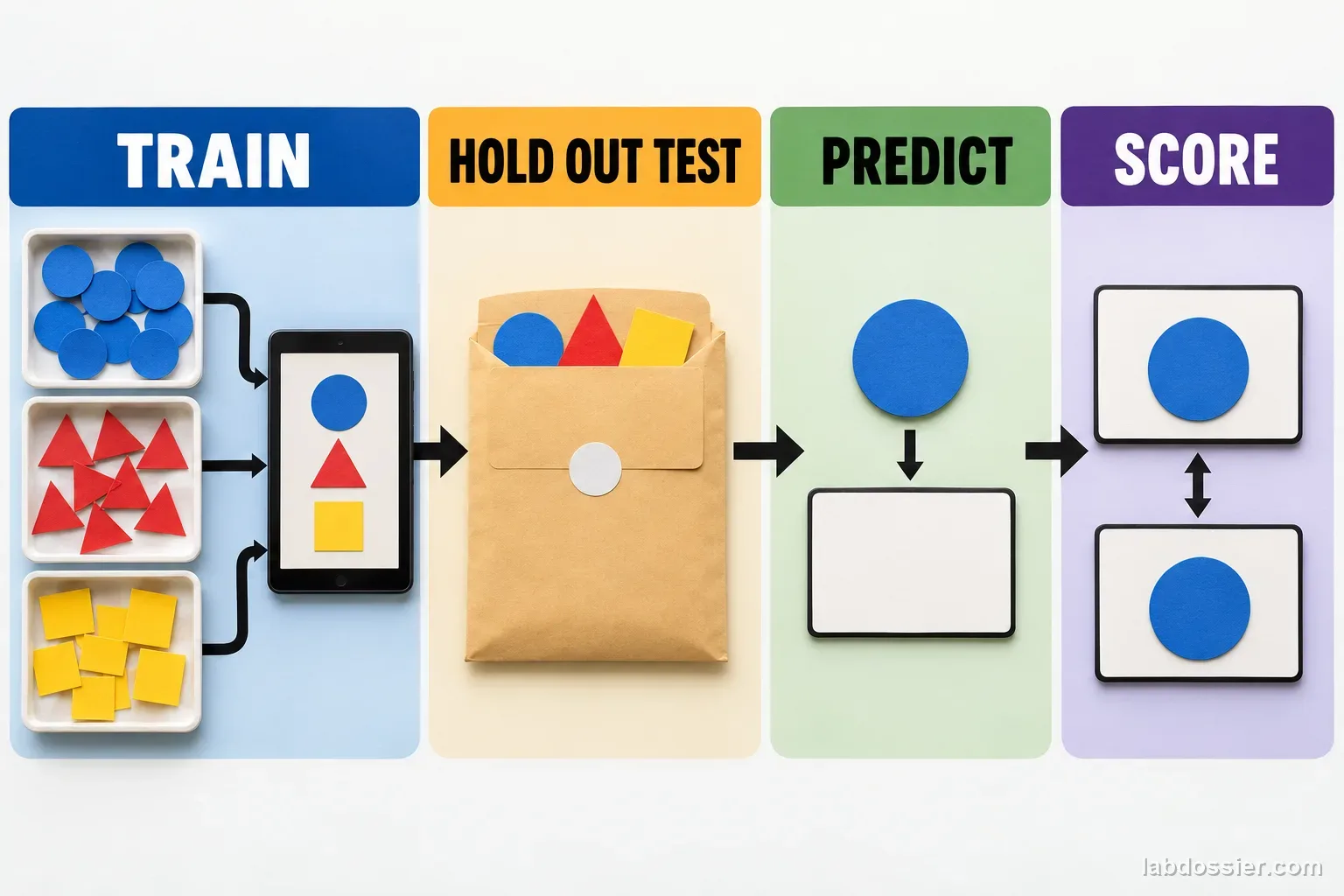
Use the same 30 image IDs for every model and randomize their order only once using a recorded list. After the model is trained, submit each test image and record the predicted class. Keep the predicted label even when the confidence display appears high; confidence is not the measured outcome.
11 // Compare all three training sizes
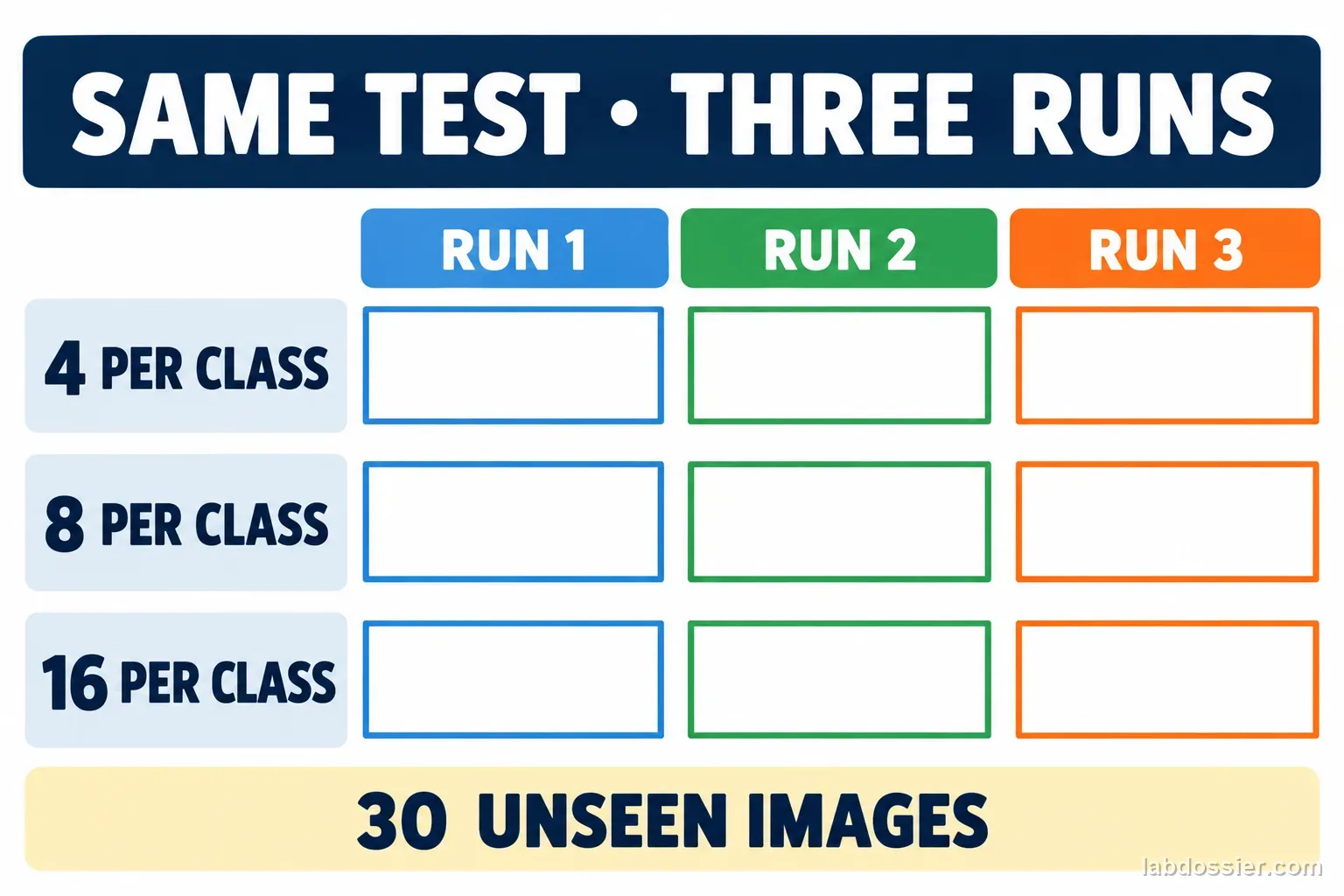
Train three separate models at each size. If the tool's training changes randomly, independent runs help reveal variation; if it does not expose repeated training or uses a fixed process, state that limitation instead of claiming run-to-run variability was measured. Do not change model settings between sizes. For each run, count correct labels out of 30 and calculate the percentage, then report the median and full range across the three runs.
The compact raw table gives one row per test image. In each training-size cell, record the predicted classes from Run 1, Run 2 and Run 3 in that order, such as `circle / triangle / circle`. Use a separate check mark or tally when scoring. If a tool cannot reproduce the training subset exactly, document that difference; the comparison is less controlled.
12 // Check performance class by class
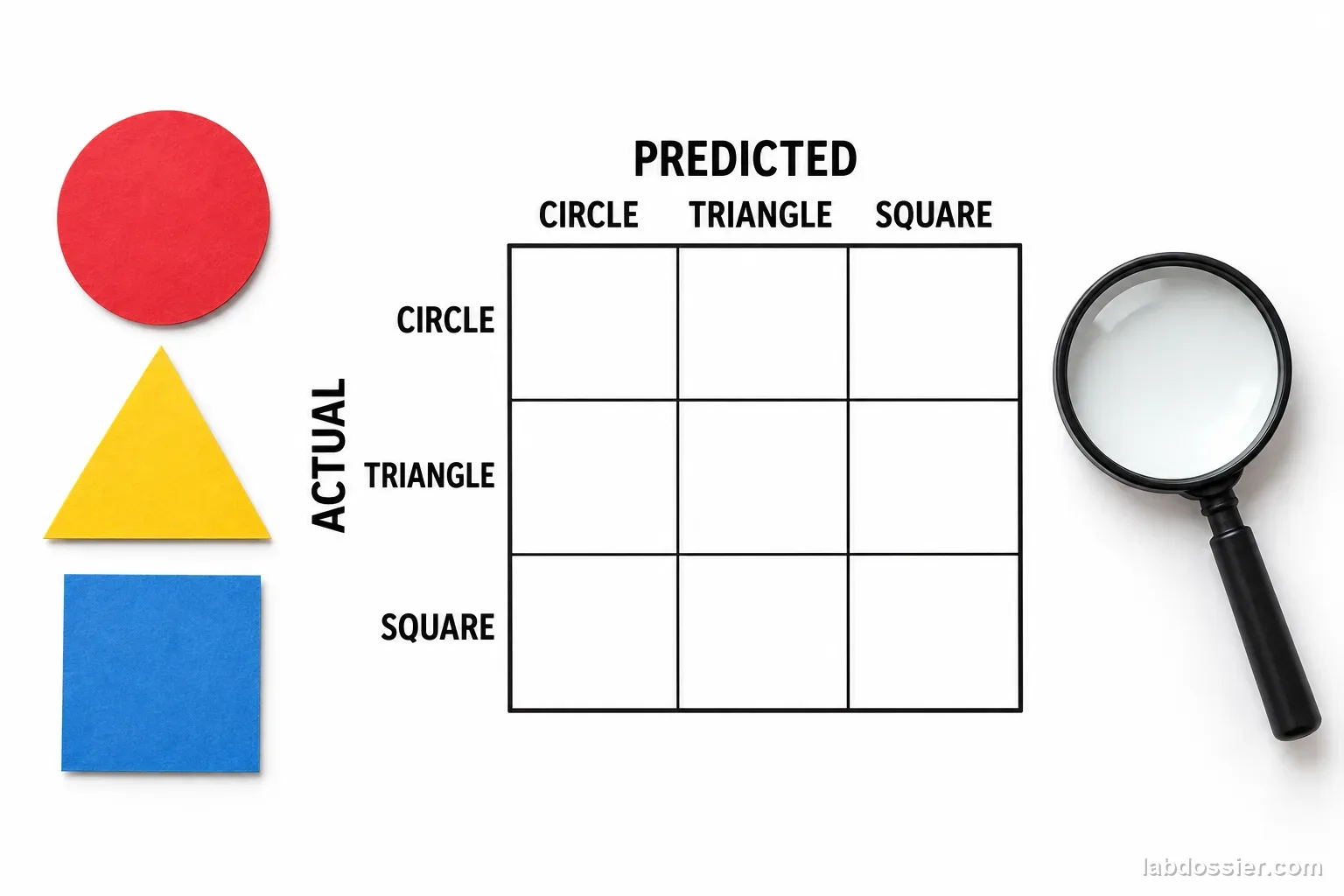
For each training size, count correct circle, triangle and square predictions out of ten, then inspect which wrong class was selected. A model can show the same overall accuracy while making different class-specific errors. A confusion matrix records the actual class by row and the predicted class by column; put each test image into exactly one cell per run.
More labeled examples can help a model represent within-class variation, but the outcome also depends on image diversity, label quality, the classifier, settings and the test distribution. Three classes, 30 test images and one classroom tool cannot establish a universal data-size rule. Report the observed counts and run range, and avoid using this model for identity, medical, safety, grading or other consequential decisions.
13 // Questions people ask
Why must the test images stay the same?
If each model is tested on different pictures, the difficulty of the test can explain a score difference. A fixed held-out set makes the training-size comparison more meaningful.
Why keep the number of examples balanced by class?
An unequal set can make the model favor the class it sees most often. Equal counts let the experiment focus on total examples while avoiding a deliberate class-frequency change.
Why repeat each training size three times?
Training may vary between runs. Repeats show whether a pattern is consistent in this setup; three runs are still a small sample.
Does higher confidence mean the prediction is correct?
No. Record the predicted label and compare it with the known test label. A confidence score is not proof of correctness.
Will a larger training set always improve a classifier?
No. The examples must be correctly labeled and varied, and the model must be evaluated on genuinely unseen data. This activity only describes its particular classes, tool and test images.
Can you explain the investigation?
Does adding balanced training examples improve an image classifier on unseen examples? · Student Data Sheet
Question: When every class receives the same number of examples, does increasing training-set size improve accuracy on a fixed set of unseen images?
Hypothesis: If each class receives more varied but still balanced training examples, then accuracy on the unchanged held-out examples may increase or become more consistent, because additional examples can represent more variation within each class, but repetition, leakage, poor labels or limited diversity can prevent improvement.
Materials
- teacher-approved image-classification tool
- three visually distinct paper-shape classes
- separate training and held-out image sets
- 30 fixed test images with verified class labels
- notebook or spreadsheet
- teacher approval for the service and current privacy settings
Safety before starting
- Use teacher-approved drawings or non-identifying objects for the image set. Do not collect faces, student work, names, or other private images for model training or upload.
- Check service terms before using an online classifier, and do not use a small classroom test to label real people or make consequential decisions about them.
Lab notes
- This classroom model is not suitable for medical, safety, identity, grading or other consequential decisions.
Variables
Independent: Number of training images per class · Dependent: Predictions on a fixed, labeled held-out test set
Keep constant: same three classes · same tool and model settings · same image size and background · same fixed 30-image test set · equal examples in each class · three independent training runs per size · no test image used in training
Procedure
- Choose three safe visual classes: Use simple paper shapes such as circles, triangles and squares. Keep color, background, camera distance and lighting consistent so the class identity—not a background cue—is what changes. Do not use faces or personal images.
- Make separate training and test images: Create 30 test pictures (10 per class) from new physical shape instances or genuinely new camera captures. Set these aside before training. Prepare a larger pool of distinct training captures for each class; do not make near-duplicate crops of the same image.
- Balance all three training sizes: For each class, select 4, 8 or 16 training images. Each model must have equal counts across the three classes. Make the smaller sets nested subsets of the larger set, and record the image IDs so the comparison can be reconstructed.
- Fix the model settings: Use one teacher-approved image-classification tool. Record the product, visible version, date, image input method and any displayed training settings. Keep the same settings across conditions; if a setting changes automatically, record it rather than claiming perfect control.
- Train repeated models and test once: For each training size, create three separate model runs using the same planned image subset. After training, test the same 30 held-out images in a randomized order. Do not add any test image to training or adjust a model after seeing test results. For every test ID, record the three predicted class names in run order; record the predicted label, not only the confidence bar.
- Compare totals and class-level errors: For each run, calculate accuracy = correct predictions ÷ 30 × 100%. Also report correct out of 10 for each class and the confusion counts. Summarize the three runs with the median and full range. A small difference may reflect training randomness or limited images, not a general law.
Record your observations
| Test ID | Actual class | 4 / class (R1 · R2 · R3) | 8 / class (R1 · R2 · R3) | 16 / class (R1 · R2 · R3) |
|---|---|---|---|---|
Keep the model comparison fair
| Model condition | Circle training | Triangle training | Square training | Held-out test set |
|---|---|---|---|---|
Report each repeated run
| Images per class | Run 1 correct / 30 | Run 2 correct / 30 | Run 3 correct / 30 | Median and range |
|---|---|---|---|---|
Check whether one class hides a problem
| Training images / class | Circle correct / 10 | Triangle correct / 10 | Square correct / 10 | Most common mix-up |
|---|---|---|---|---|
Formula: Accuracy (%) = correct held-out predictions ÷ 30 × 100%
Answer key and expected pattern
Use the same unseen images for every condition; training images do not count as a fair test.
Report each class and repeated run so an overall average cannot hide a weak category.
More examples may help, do nothing, or perform worse in this small test; report what happened without generalizing to every AI model.
Remember: More examples only count as evidence when the test stays independent. A model must recognize new images, not just remember its practice set.