Can image detectors still recognize AI images after compression?
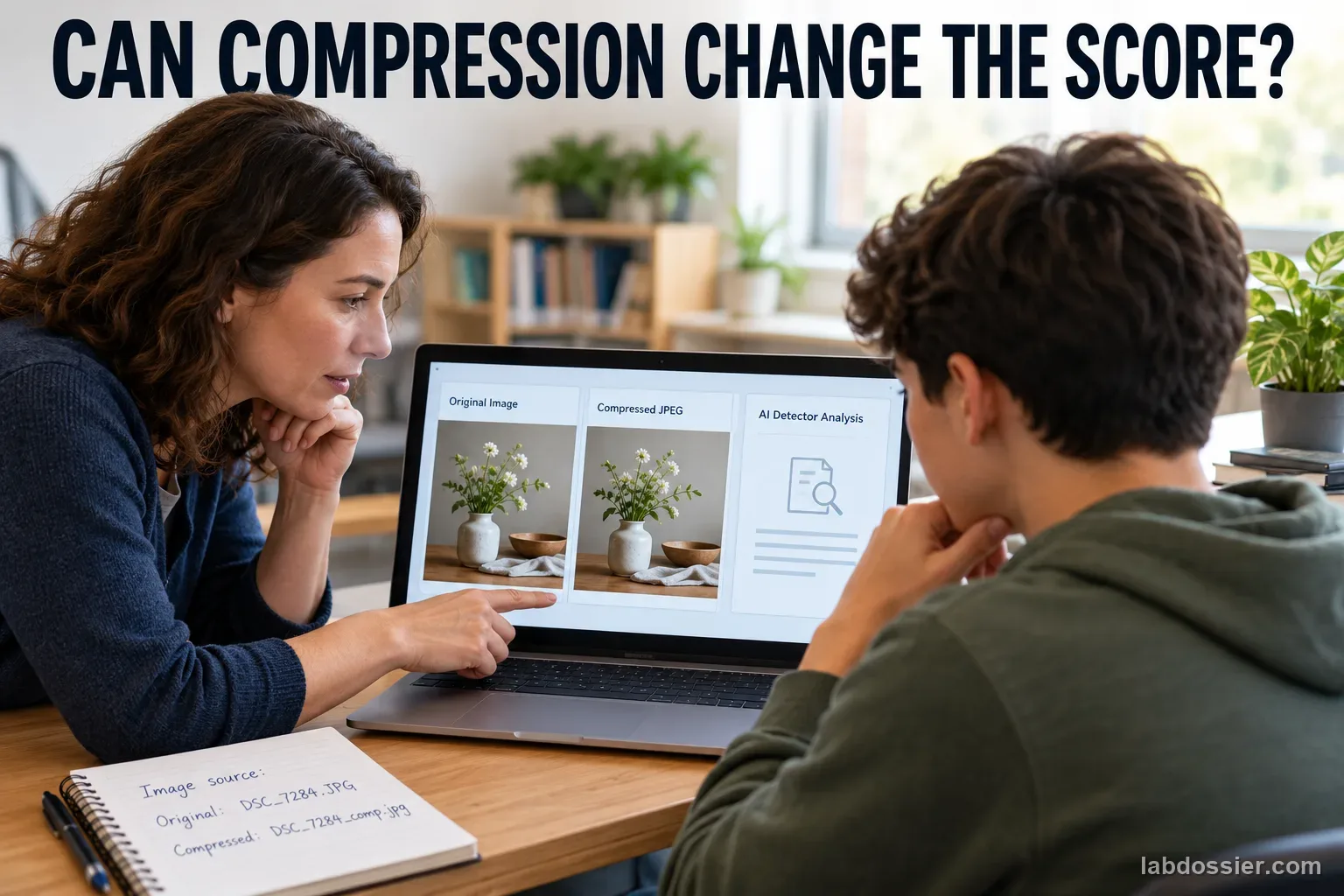
01 // Question
For this small, labeled image set, how do a detector's classifications change after two documented JPEG-compression steps?
A result describes the tested detector, version, images, compression settings and date. It cannot establish whether an unverified image online is authentic.
02 // Variables
Independent
Saved file version- Original master image
- One JPEG export at the higher documented quality setting
- One JPEG export at the lower documented quality setting
Dependent
Detector output compared with known image origin- AI-labeled images correctly flagged
- Authentic photos incorrectly flagged
- Score or label changes between matched file versions
03 // Hypothesis
IF the same image is saved with increasing lossy JPEG compression, THEN the detector's score or label may change for some images, BECAUSE compression changes image information, but the direction and size of any change depend on the detector and the image set.
04 // Procedure
1. Build a small provenance-known set
With a teacher, prepare six non-identifying photographs of the same kinds of simple tabletop scenes and six AI-generated scene images from two named, documented sources. Do not include people, student work, private files or images found online with uncertain origins. Save the source, creation date and original file for every ID. The set is a teaching sample, not a balanced benchmark of all image styles.
2. Make matched file versions
Keep each original master unchanged. From that master, create one JPEG using a higher quality setting and one using a lower quality setting supported by the chosen export tool. Record the exact quality value, dimensions, file type and application; do not resize, crop, add a filter or recompress one JPEG to make the next. If the tool does not expose a reproducible setting, record the actual export method and do not call it a fixed quality level.
3. Choose and document the detector
A teacher selects one approved image detector and checks its current upload, age, privacy and retention terms. Record its name, visible version, date, accepted file types, output scale and any threshold shown. Set the decision threshold before seeing results. If the detector exposes only a label, record that label; never convert a label into an invented probability.
4. Test versions in randomized order
Assign each of the 36 files a random ID that hides its origin and compression version from the person entering it. Submit one file at a time using the same settings. Do not correct the detector, provide provenance hints or change its threshold. Save the complete output and file ID. If a service refuses a file or gives no score, record that outcome instead of retrying until a preferred result appears.
5. Score false positives and missed images
Unblind the IDs only after all outputs are recorded. For each version, compare the detector's fixed label with the verified source. Report AI images correctly flagged out of six, authentic photos incorrectly flagged out of six, and nonresponses separately. If numeric scores are available, preserve each score and compare matched original/JPEG changes; accuracy alone can hide a detector that marks nearly everything as AI.
6. Interpret compression and source differences
Show every image's three results, then summarize each origin group and file version. Keep the two AI sources separate as well as pooled so one source cannot hide another's pattern. Compression-related changes in this small set do not reveal how a detector was trained or prove it will fail on every compressed image. Never use this activity to accuse a person or decide whether an online image is authentic.
Materials // Prepare the bench
- teacher-approved general AI-image detector with a documented output
- optional supported provenance/watermark checker used as a separate measure
- six non-identifying teacher-taken tabletop photos
- six AI-generated tabletop images from two documented sources
- image editor that exports JPEG at documented quality values without resizing
- randomized 36-file ID sheet
- teacher approval for current upload and retention terms
05 // Data table
| Image ID | Verified origin/source | Original output | Higher-quality JPEG output | Lower-quality JPEG output | Matched score/label changes |
|---|---|---|---|---|---|
| I01 | authentic photo | ||||
| I02 | authentic photo | ||||
| I03 | authentic photo | ||||
| I04 | authentic photo | ||||
| I05 | authentic photo | ||||
| I06 | authentic photo | ||||
| I07 | AI source A | ||||
| I08 | AI source A | ||||
| I09 | AI source A | ||||
| I10 | AI source B | ||||
| I11 | AI source B | ||||
| I12 | AI source B |
Compare detector errors by file version
| File version | AI correctly flagged / 6 | Authentic photos falsely flagged / 6 | No result / 12 |
|---|---|---|---|
| Original master | |||
| Higher-quality JPEG | |||
| Lower-quality JPEG |
Check the test set before uploading
| Image-set check | Verified | Needs follow-up |
|---|---|---|
| All 12 origins are documented and labels were frozen first | ||
| No people, personal details or uncertain online provenance | ||
| JPEG copies came directly from each unchanged master | ||
| Detector, threshold and upload rules stayed fixed |
Formula False-positive rate (%) = authentic photos labeled AI ÷ 6 × 100%; also report the raw count
06 // What to expect
A detector may behave differently across image sources and compression versions; measure the actual matched changes.
A watermark verifier and a generic image classifier answer different questions; do not treat a missing watermark as proof that an image is real.
Twelve images from a few sources cannot establish a universal detector accuracy or authenticate a real-world image.
07 // Lab notes
08 // Remember
A detector score is one tool output, not a source record. Known provenance and careful context matter more than a confident detector label.
09 // Build a small provenance-known set
Prepare six photographs and six generated images of non-identifying tabletop scenes, with similar subject types such as a cup, fruit, plant or pencil. Use two documented image-generation sources for the six synthetic images (three from each source). Keep a private key containing the source, creation date and original file for every ID. Do not use faces, students, personal photos, confidential files or internet images whose history is uncertain.
The two known-origin groups make it possible to count both missed generated images and authentic photos mistakenly flagged. The scene sources will still differ in ways beyond origin, and twelve files are far too few to represent internet images or all generators. The activity is a small matched-input demonstration; state those limits instead of treating it as a detector leaderboard.

10 // Make matched file versions
Save an untouched master for every image. Export two separate JPEG files directly from that master at the higher and lower quality values supported by the chosen editor; for example, quality 90 and 45 if that tool documents those values. Keep pixel dimensions, crop, orientation and color settings unchanged, and do not edit or recompress either JPEG again. Record the actual settings and file size for every export.
If the software changes dimensions automatically or hides its quality scale, record the actual behavior and do not describe the result as a clean compression-only comparison. An image editor's slider values are not interchangeable with another program's values, so reproduce the settings within the same application and version.

11 // Choose and document the detector
With a teacher, select one approved general image detector and check the current age, account, upload, retention and deletion terms. Record the visible service/model version, date, allowed file types, output scale and whether it returns a category, score or both. If it returns a score, select the AI threshold before testing and write it into the protocol. If it returns only a category, use that output as shown; do not turn the category into a made-up percentage.
A watermark/provenance verifier can be tested separately when available, but it answers a different question. A positive result can indicate a supported embedded signal; no signal can mean an unsupported source or a transformation that obscured the signal. Do not pool a watermark outcome with the generic detector's score or call either one proof of authenticity.
12 // Score false positives and missed images
Give each of the 36 files a random ID that conceals both image origin and compression version. Submit one file at a time in randomized order with fixed settings. Save the output, timestamp and ID. Do not offer source hints, correct the service, adjust the threshold after seeing a result or repeatedly upload until it says what you expect. Record refusal, unreadable output or no score as a separate outcome.
Reveal the source key only when all outputs are saved. For each file version, count generated images correctly flagged out of six, authentic photographs falsely flagged out of six, missed generated images, and nonresponses. Preserve each original/JPEG score pair so a change in score is visible even if the thresholded label stays the same. Keep the two generated sources separate in the summary.

13 // Interpret compression and source differences
Compare the three versions of each same master first, then summarize the two generated-source groups and authentic photos. A consistent change within this small set can suggest that the tested detector responds to the saved JPEG versions; it does not reveal the service's training data or prove that compression caused a failure in other images. Report the detector, version, dates, source counts and export settings so a reader can understand exactly what was tested.
Recent research benchmarks emphasize that detector behavior can vary across datasets and unseen generator families. Google also describes SynthID as an embedded watermark used by supported tools and has opened its detector to public checks; that provenance mechanism differs from generic visual classification. Never use this classroom activity to accuse a creator, label a student's work or decide whether an online image is genuine.
14 // Questions people ask
Does a detector score prove that an image was made by AI?
No. It is an output from one tool under particular conditions. Keep the verified file history and other evidence separate from the detector's label.
Why test authentic photos as well as generated images?
Authentic photos reveal false positives. A detector that flags every image can appear to catch AI images while being unreliable.
Why make JPEG copies from the original file?
Starting both exports from the unchanged master makes compression the planned difference and avoids accumulating extra loss through repeated saves.
Is a watermark checker the same as an AI-image detector?
No. A watermark checker looks for a signal embedded by supported tools; a general detector estimates whether an image resembles patterns in its training data. Neither covers every source.
Can this activity identify a fake image from the internet?
No. It uses a small classroom set with known origins. Real images may be edited, compressed, generated with unfamiliar tools or lack usable provenance metadata.
Can you explain the investigation?
Can image detectors still recognize AI images after compression? · Student Data Sheet
Question: For this small, labeled image set, how do a detector's classifications change after two documented JPEG-compression steps?
Hypothesis: If the same image is saved with increasing lossy JPEG compression, then the detector's score or label may change for some images, because compression changes image information, but the direction and size of any change depend on the detector and the image set.
Materials
- teacher-approved general AI-image detector with a documented output
- optional supported provenance/watermark checker used as a separate measure
- six non-identifying teacher-taken tabletop photos
- six AI-generated tabletop images from two documented sources
- image editor that exports JPEG at documented quality values without resizing
- randomized 36-file ID sheet
- teacher approval for current upload and retention terms
Safety before starting
- Use only non-identifying images with documented origins. Check current upload, age, privacy, and retention terms; never submit private photographs or student images without explicit school approval.
- A detector result cannot prove who created an image or whether a person is telling the truth. Do not use this classroom activity to accuse, identify, discipline, or make consequential decisions about anyone.
Lab notes
Variables
Independent: Saved file version · Dependent: Detector output compared with known image origin
Keep constant: same 12 source images · same detector and threshold · original dimensions · two AI source families and six authentic photos · each JPEG exported directly from the master · randomized order
Procedure
- Build a small provenance-known set: With a teacher, prepare six non-identifying photographs of the same kinds of simple tabletop scenes and six AI-generated scene images from two named, documented sources. Do not include people, student work, private files or images found online with uncertain origins. Save the source, creation date and original file for every ID. The set is a teaching sample, not a balanced benchmark of all image styles.
- Make matched file versions: Keep each original master unchanged. From that master, create one JPEG using a higher quality setting and one using a lower quality setting supported by the chosen export tool. Record the exact quality value, dimensions, file type and application; do not resize, crop, add a filter or recompress one JPEG to make the next. If the tool does not expose a reproducible setting, record the actual export method and do not call it a fixed quality level.
- Choose and document the detector: A teacher selects one approved image detector and checks its current upload, age, privacy and retention terms. Record its name, visible version, date, accepted file types, output scale and any threshold shown. Set the decision threshold before seeing results. If the detector exposes only a label, record that label; never convert a label into an invented probability.
- Test versions in randomized order: Assign each of the 36 files a random ID that hides its origin and compression version from the person entering it. Submit one file at a time using the same settings. Do not correct the detector, provide provenance hints or change its threshold. Save the complete output and file ID. If a service refuses a file or gives no score, record that outcome instead of retrying until a preferred result appears.
- Score false positives and missed images: Unblind the IDs only after all outputs are recorded. For each version, compare the detector's fixed label with the verified source. Report AI images correctly flagged out of six, authentic photos incorrectly flagged out of six, and nonresponses separately. If numeric scores are available, preserve each score and compare matched original/JPEG changes; accuracy alone can hide a detector that marks nearly everything as AI.
- Interpret compression and source differences: Show every image's three results, then summarize each origin group and file version. Keep the two AI sources separate as well as pooled so one source cannot hide another's pattern. Compression-related changes in this small set do not reveal how a detector was trained or prove it will fail on every compressed image. Never use this activity to accuse a person or decide whether an online image is authentic.
Record your observations
| Image ID | Verified origin/source | Original output | Higher-quality JPEG output | Lower-quality JPEG output | Matched score/label changes |
|---|---|---|---|---|---|
Compare detector errors by file version
| File version | AI correctly flagged / 6 | Authentic photos falsely flagged / 6 | No result / 12 |
|---|---|---|---|
Check the test set before uploading
| Image-set check | Verified | Needs follow-up |
|---|---|---|
Formula: False-positive rate (%) = authentic photos labeled AI ÷ 6 × 100%; also report the raw count
Answer key and expected pattern
A detector may behave differently across image sources and compression versions; measure the actual matched changes.
A watermark verifier and a generic image classifier answer different questions; do not treat a missing watermark as proof that an image is real.
Twelve images from a few sources cannot establish a universal detector accuracy or authenticate a real-world image.
Remember: A detector score is one tool output, not a source record. Known provenance and careful context matter more than a confident detector label.